
Stream Program for Interactive Chat Experiences
SPICE is a streamer-focused program that translates your viewers' chat messages into keyboard and mouse inputs, allowing them to play your games with you (or for you)! Map fully customizeable keywords to complex macros that let you simulate nearly any action you could take in a game. Then, give that keyword to your viewers to give them more direct influence over your gameplay than they've ever had before.
SPICE is now available for download! Purchase on your platform of choice and have fun :D
SPICE was made by Tizz and Rune! A programmer-artist duo who love to come up with unique stream ideas. We originally started this project for our own content, and we're so happy to share it with you. We're reachable at [email protected] and [email protected], or come say hi on twitch!



SPICE works primarily by having a large set of chat commands linked to in-game keybinds, and constructing the commands has a similar logic setup to commands in programs like Mix It Up.Here is what 2 simple commands look like. "moveright" presses the D key for you, and "moveleft" presses the A key for you.

Setting up a command is easy! Just type in the command you want chat to enter - then select the key you want that command to activate on your list. A search box makes finding the correct one a breeze.

Clicking "Add Key" lets you chain multiple inputs together to form more complex inputs.

Clicking the drop-down on the left lets you change the node type. SPICE has 10 types including ones that press multiple keys at the same time, add delays, and even set up loops. You can build whatever command your chat wants.

SPICE also has node types to move, click, scroll, and drag the mouse. SPICE is able to set the mouse position (good for UI and card games,) move the mouse relative to it's current position (good for first-person games,) and even move the mouse randomly (good for, well, chaos.)Not sure exactly which pixel a button is on? With the Easy Set system, no need to guess! Just put your mouse at the destination and tap space. SPICE will do the rest!

Putting it all together - one chat message can execute an entire fighting game combo. Turns out chat did get gud.

Additional FeaturesClick "Add Condition" to add one to a command. This can let you make certain commands rarer or restrict them to specific people. Perfect for limiting more impactful commands or setting up special ones for Mods or VIPs.

Worried you might make a mistake when setting up commands? Don't worry, SPICE checks everything before running - providing a detailed report on any mistakes as well as warnings for potential problems.

Have a lot of commands? Set up folders and use the in-app search function to keep things organized!

With SPICE, you're always in control. Customizable global hotkeys allow you to pause and stop SPICE at any time - even when the game window has focus. Additionally, you can set up a user-limited chat command to push one of these buttons to have a mod-only off switch.

Click "Deactivate" or "Activate" to toggle any part of SPICE. Disabled portions are inaccessible to chat.


Frequently Asked Questions
What platforms can I use SPICE with? -- SPICE is good to go for Windows devices and can connect to both Twitch and YouTube. You can run two copies of SPICE at once to listen to both chats if you dual-stream!
What control methods does SPICE support? -- SPICE can produce inputs on your keyboard and mouse (including mouse movement and dragging.) This means any game or app that works with those work with SPICE.
How do I use SPICE? -- Simply enter the command you want chat to type followed by building what you want that command to do. Check out the How To Use page for more info.
How much programming do I need to know? -- None! SPICE takes care of all the coding for you. Just use the UI to fill in what you want and let chat go crazy. There is a repeatable in-app tutorial to guide you through everything you need.
This reminds me a lot of DougDoug videos -- You'll never guess who's in the credits! DougDoug both inspired the initial idea and provided the starting open-source library that we built the program around.
What are all these critters in the promo material and the logo? -- Those are frugs! AKA frog+slugs. They're the chat representation for SPICE, working together to cause chaos for the cook (that's you!)

Thank you so much to all of our playtesters, who tried out a variety of stream types and subjected their chats to our experiments. Click on any of their PFPs to be taken to their channels.


Check out all the clips that our playtesters provided to get some stream ideas!
KotaBlickie fought their chat for control of the brain cell in Worming From Home, with both parties having access to the controls and being unable to work together from too many zoomies
Libearty ran the CLASSIC Twitch Plays Pokemon with a FireRed randomizer, and chat managed to take down mewtwo in the first 10 minutes!
CapnCocoCharms let chat control his isekai into Mario64, making him flip around and cry in a corner for Mario Day. He also uploaded the entire one hour VOD, complete with edited intro and outro, for you to see what an entire spice stream could look like! Check it out here!
Static became chat's scrim partner, going toe to toe in TEKKEN 8 and eventually getting the upper hand a couple of times!
Blawnk duo-queued with his community, with chat collectively controlling the POV account and him providing support on another account (once they got through the tutorial)
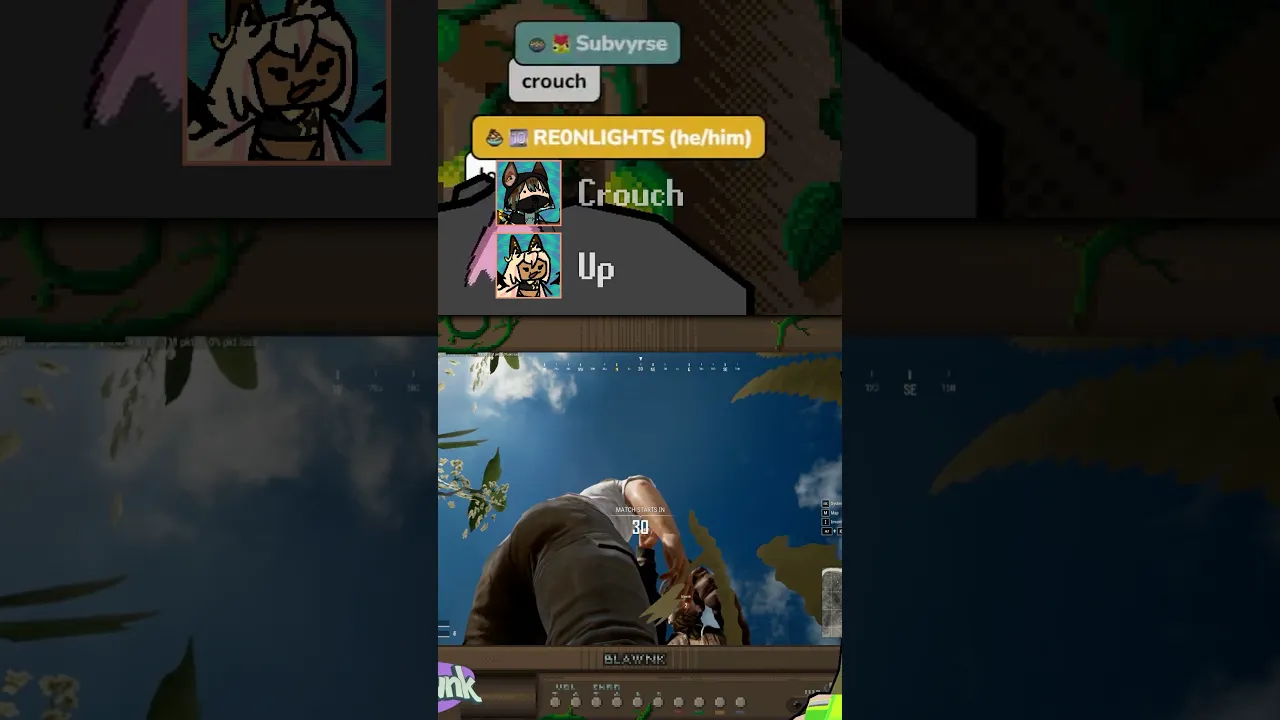
Alina Stigienne ran Tarkov and gave her chat only controls to screw up her game, including trying to blow her up, yoinking her camera around and dropping all of her items
CadenzaViolet let her chat take control of a Hardcore WoW Classic character, where they managed to not die and eventually fell in love despite limited controls
Runeax and Tizzidar played an Elden Ring co-op randomizer with a merged chat. Streamers controlled their own moving and dodge rolling, while chat controlled attacks and heals that gave the same command to both streamers at once. And they managed to defeat the tutorial boss!

Get 30+ assets for your SPICE streams over on VGen for FREE! Logos, Icons, Thumbnail Bases, and everything you'd need for a stream overlay. Click on the image to head over!

Here's some examples of ways you can use the assets!


